Your Life Is Disappearing Into Your Camera Roll
Ten thousand photos, and last spring is somehow missing. Here's what the research says, and a ten-minute weekly ritual that turns a camera roll back into a life.
Part of our guide to travel journal apps.
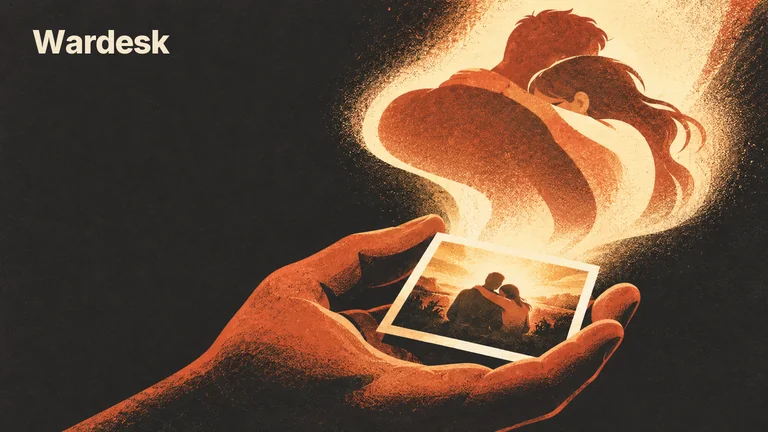
The photos aren't the problem. The pile is. Taking pictures can cost a little attention in the moment, and researchers have measured that. The bigger loss usually comes afterward, when a day's photos sink into a roll that nobody chooses from, captions, or looks at again. Ten minutes a week of choosing, captioning, and looking back is enough to turn the pile back into a life.
Try this. Open your photos, jump to a random month two years ago, and look at the third picture. Do you remember why you took it? What happened right after? What you were worried about that week? For most photos, the honest answer is no. You own the pixels and you've lost the day. Your memory is fine. This is what happens to any archive that only ever gets added to.
Does taking photos hurt your memory?
A little, sometimes, under specific conditions. The studies are more interesting than the headlines they produced, and they cut both ways, so here they are at their true strength.
The study that started it. The psychologist Linda Henkel had people on a guided tour of an art museum photograph some objects and simply look at others. On a memory test afterward, they remembered fewer of the objects they had photographed, and fewer details about them, than the ones they had only observed. She called it the photo-taking-impairment effect (Henkel, 2014). The twist came in her second study: when people zoomed in to photograph one specific detail, the impairment disappeared, and they remembered the parts outside the frame just as well as the part inside it. Pointing the camera on autopilot was the problem.
It isn't simply that you trust the phone. The obvious explanation is offloading: the camera remembers, so your brain stops bothering. But when people used Snapchat, where photos vanish, or deleted each photo right after taking it, the impairment showed up anyway, and it was just as large as when they expected to keep their pictures (Soares and Storm, 2018). Something about the act of shooting seems to pull attention away from the thing being shot.
The effect is real, and modest. In one study, people toured Stanford's Memorial Church with no camera, taking photos for themselves, or taking photos to post on Facebook. One to two weeks later, on a surprise ten-question quiz, the no-camera group averaged about 7.2 right and the photographers about 6 (Tamir, Templeton, Ward and Zaki, 2018). Roughly one question in ten. In the same paper's online study, typing notes about a talk while watching it hurt memory too, even when people were told their notes would be erased. The common thread is recording an experience while you're supposed to be having it.
Cameras tilt you toward the visual. Across a field study and three lab studies, people who were free to take photos later recognized more of what they saw and less of what they heard than people without a camera, even though nobody looked back at the pictures (Barasch, Diehl, Silverman and Zauberman, 2017). Your photos of the wedding are keeping the dress. They are quietly letting go of the speech.
Photos can also make good moments better. In nine experiments, three of them in the field, taking photos increased people's enjoyment of positive experiences when it drew them further into the moment (Diehl, Zauberman and Barasch, 2016). The boost faded when the experience was already absorbing or the camera got in the way, and photographing a bad experience made it feel worse. Intent matters too. Across five more studies, taking pictures in order to share them reduced enjoyment compared with taking them for yourself, because people started worrying about how they'd come across while the experience was still happening (Barasch, Zauberman and Diehl, 2018).
Looking back is where photos earn their keep. In a museum study where people wore a camera on the tour, reviewing photos that closely matched what they had experienced later improved their memory for those moments more than reviewing loosely matched photos did (St. Jacques and Schacter, 2013). It also made them more likely to falsely recognize photos of stops they had never visited. Revisiting works in both directions: it keeps memories alive and quietly edits them, which is one more reason to write down what happened while you still know.
A fair caveat: nearly all of this comes from museums, churches, and labs, with students and online volunteers, tested days or weeks later. We know of no study that has followed real camera rolls over years. But the pattern is consistent enough to act on. The shutter costs a little attention, and what you do afterward decides whether a photo becomes a memory or a file. Photos aren't the villain. Unprocessed photos are.
Why thousands of photos still feel like nothing
Even if every photo cost you nothing in the moment, the camera roll would still be a poor memory system. Three reasons.
Nothing in it was chosen. The phrase "camera roll" is borrowed from film, when a roll held 24 or 36 pictures and each one was a small decision. A phone holds thousands, and none of them were decided. They were just taken. An archive where everything is kept is an archive where nothing is marked as mattering, and deciding what mattered is a judgment you can only make well while you still remember why.
The photo can't hold the why. The picture shows a plate of pasta. It doesn't show that this was the dinner where your friend told you she was moving to Lisbon, which is the only reason the picture exists. That context lives in your head, and heads are not archival storage. Without it, a photo becomes a beautifully lit mystery, sometimes even to the person who took it.
It's a junk drawer. Your best evening of the year sits between a photo of a parking level and a screenshot of a QR code. Nobody opens a camera roll to remember; they open it to find a receipt. So the roll rarely gets the one thing that keeps a memory alive, which is a visit. If you have a toddler, multiply all of this: four thousand photos of one small face in slightly different light, and no record of the afternoon they first said your name.
What turns a photo into a memory, and what buries it
Put the research and the pile side by side, and the habits sort themselves. Some make a photo more likely to become something you remember. Others quietly bury it.
| Effect | What's going on | The small version | |
|---|---|---|---|
| Shooting on autopilot | Buries | Attention goes to the device, not the moment. Photographed objects were remembered less well in museum studies | Look first, then shoot. Zoom in on the detail you'd describe |
| Selecting | Helps | Choosing marks what mattered, while you still know | Favorite one photo per day |
| Captioning | Helps | Adds back what cameras miss, especially what was said and heard | One sentence, written that evening or that week, not in the moment |
| Revisiting | Helps, with a caveat | Reviewing photos strengthens memories, and can also reshape them | Ten minutes a week. Captions written near the day keep the facts straight |
| Sharing | Depends | Shooting with an audience in mind lowered enjoyment of the moment itself | Decide to share afterward, and send it to someone who was there |
| Hoarding | Buries | When nothing is marked as mattering, nothing gets found | Keep everything if you like. Just float a small chosen layer on top |
Notice that nothing in the "helps" rows asks you to take fewer photos. Shoot the birthday. Shoot the sunset, even though it never comes out. The work that matters happens later, and it's small.
The ten-minute camera roll ritual
Once a week, at a fixed time (Sunday evening, the Monday train, the first coffee of Saturday), give last week's photos ten minutes. You need your phone and nothing else. The only rule: no step is allowed to turn into a project.
Scroll the week once (2 minutes).
Open the roll at last Monday and scroll to today, start to finish, at a relaxed pace. Don't delete anything. Don't sort anything. This pass is the revisit, the habit a camera roll never builds on its own. Most weeks, something you had already half forgotten turns up by Wednesday.
Favorite the day (3 minutes).
For each day, tap the favorite button on the one photo that was the day. Seven at most, and a big day can borrow a few. Not the prettiest one: the one that would hurt to lose. Days with no good photo get nothing, and that's fine. A blurry shot of a friend laughing beats a perfect shot of a cathedral you could find online in four seconds.
Give each one a sentence (4 minutes).
Your phone's photo app probably has a caption or description field. Use it, or a notes app, or a journal. Write the one sentence the camera couldn't hold, and lean on sound, since that's what cameras let slip: what someone said, what you could hear, what happened right after, why you even took it. Writing it now, days later, is deliberate. In the moment, you were busy having it.
Send one (1 minute).
Pick the week's best and send it, with its sentence, to someone who was there. Send, don't post. A photo sent to your sister on a Sunday night tends to come back with her half of the story, which is a memory you didn't have yet.
The ten-minute camera roll ritual
- 2 min. Scroll last week once, start to finish. No deleting, no sorting.
- 3 min. Favorite one photo per day that was the day. Seven at most.
- 4 min. One sentence each: what someone said, what you heard, what happened next, or why you took it.
- 1 min. Send the week's best, with its sentence, to someone who was there.
Once a season, reread everything you favorited. Missed a week? Do this week only. The old ones can wait.
If a sentence under a photo sounds suspiciously like journaling, that's because it is, in its smallest possible form. We wrote about why tiny formats outlast ambitious ones in journaling for people who can't keep a journal. And because there's no streak here, a skipped week costs nothing. We've written about why broken streaks backfire; a memory ritual is the last place you need one.
A worked example: one wedding, 1,312 photos
Rosa's sister Anjali got married over a long weekend in June. By Sunday night, Rosa's phone held 1,312 new photos, plus a shared guest album with four hundred more. On Tuesday evening she sat on the couch with ten minutes and a cup of tea.
Minutes one and two. She scrolled the whole weekend once. About three hundred photos were the first dance from the same angle. She didn't delete them. She did laugh at how many there were, and remembered that her cousin had been filming the whole time from behind a pillar.
Minutes three to five. She favorited seven, letting the wedding borrow the whole week's allowance: henna drying on her sister's palms on Friday night, the sky opening during the vows, her dad's speech notes on a napkin, a heap of shoes kicked off beside the dance floor, her grandmother asleep in a chair at 1 a.m. still holding a plate of sweets, the empty hall on Sunday morning, and a tired selfie at the airport.
Minutes six to nine. One sentence each. "Henna night: Anjali kept saying don't make me laugh, it'll smudge, so of course everyone did." "Rain right at the vows. The priest said rain at a wedding is luck, and Dad said, loudly, expensive luck." "Dad's notes. He never looked at them once, and still cried by line two." "Nani told me at midnight that I dance exactly like my mother. An hour later, this." Almost every sentence is something she heard. That's the half of the weekend her camera was letting go of.
Minute ten. She sent the napkin photo and its sentence to her dad. He replied with a voice note: forty seconds of him laughing, then the line he had meant to say and forgot.
Seven photos, seven sentences, about ninety seconds to read. Five years from now the 1,312 will still be in the roll, and that's fine. But the seven are the wedding. What Rosa never did: delete anything, build an album, tag a single face, or write more than a line.
What to do with the thousands of photos you already have
The instinct is to fix the archive: one heroic weekend of albums, tags, and deletion. Let it go. Backfilling a decade is a project that gets planned, started once, and abandoned somewhere around March 2019, and the guilt of the unfinished project then sours the weekly ritual that actually matters. Start from this week, going forward. No apology to the ten thousand.
Let the backlog come to you. Most phone photo apps now resurface old pictures on their own. When one arrives and brings a story with it, write the story down right then, dated honestly. One rescued memory a month beats a filing system you'll never finish.
If you want one bigger pass, make it a single evening a year: one photo per month of last year, twelve photos, twelve sentences. That's the year, findable and readable. Parents of small children, this is your version. Keep all four thousand photos of that face. The twelve with sentences are the ones your kid will actually read one day.
And if the sheer size of the roll bothers you, delete the obvious things first: screenshots you no longer need, bursts, blurry duplicates. Call it tidying: useful, optional, and never a prerequisite for starting.
Where to keep them: a journal app, a shared album, or a photo book
The chosen layer, a few photos a week with a sentence each, can live almost anywhere that passes three tests. It's private by default, because this is intimate material. It attaches words to a photo without ceremony. And you'll actually open it again. One more thing worth checking: many phones save the exact spot each photo was taken inside the file itself, so know whether the place you upload to keeps that information or removes it.
The free options are good. Your phone's own caption field costs nothing and is already there. A shared album with a caption on every photo does the core job and lets the people who were there add their half. A printed book once a year, captions included, needs no app, no login, and no battery, and gets picked up off a shelf in a way a phone rarely is. Paper with a few prints taped in passes the privacy test beautifully, if you'll keep it up.
This is also the gap we built Wardesk's journal to fill. An entry can hold the photos you chose, the sentence or the page that goes with them, and a place, which shows as a small map card. Location metadata is stripped from every photo on upload, and photos live in private storage. If the photos are from a trip, the entries can sit together in one thread with a date range, and the trip joins your Travels map of the places you've been. There's no journal streak, so a quiet month leaves nothing to repair. If you'd rather skip the app, the shared album and the yearly book above do the core of this for free.
Trips get their own version of all this. For the one-hour return ritual that keeps a trip from evaporating, see plan the trip and remember it, and for what to look for in a tool, our guide to travel journal apps.
Questions people ask
Is there a travel journal app with photos?
Can you turn a travel journal into a photo book?
Is a journaling app or paper better for photo memories?
Can you share a travel journal with friends?
Does a journal app track your location?
Why is journaling important if I already take photos?
- Henkel, L. A. (2014). Point-and-shoot memories: The influence of taking photos on memory for a museum tour. Psychological Science, 25(2), 396–402. doi.org/10.1177/0956797613504438
- Soares, J. S., & Storm, B. C. (2018). Forget in a flash: A further investigation of the photo-taking-impairment effect. Journal of Applied Research in Memory and Cognition, 7(1), 154–160. doi.org/10.1016/j.jarmac.2017.10.004
- Tamir, D. I., Templeton, E. M., Ward, A. F., & Zaki, J. (2018). Media usage diminishes memory for experiences. Journal of Experimental Social Psychology, 76, 161–168. doi.org/10.1016/j.jesp.2018.01.006
- Barasch, A., Diehl, K., Silverman, J., & Zauberman, G. (2017). Photographic memory: The effects of volitional photo taking on memory for visual and auditory aspects of an experience. Psychological Science, 28(8), 1056–1066. doi.org/10.1177/0956797617694868
- Diehl, K., Zauberman, G., & Barasch, A. (2016). How taking photos increases enjoyment of experiences. Journal of Personality and Social Psychology, 111(2), 119–140. doi.org/10.1037/pspa0000055
- Barasch, A., Zauberman, G., & Diehl, K. (2018). How the intention to share can undermine enjoyment: Photo-taking goals and evaluation of experiences. Journal of Consumer Research, 44(6), 1220–1237. doi.org/10.1093/jcr/ucx112
- St. Jacques, P. L., & Schacter, D. L. (2013). Modifying memory: Selectively enhancing and updating personal memories for a museum tour by reactivating them. Psychological Science, 24(4), 537–543. doi.org/10.1177/0956797612457377
Keep the days worth keeping
Wardesk's private journal holds the photos you choose, the sentence that goes with them, and the place they happened, with location metadata stripped on upload. Trips gather on a map of your life, and a skipped week costs you nothing. It's free to try.
Try Wardesk free → No credit card. Your data stays yours.